
v0.7.1 – Improvements to G1 LinkedIn
Improved LinkedIn post generation and enhanced hook writing guidance. The model now delivers more focused, natural sounding, and higher-quality posts with better attention-grabbing hooks.
Ask User QuestionsG1 can now ask you clarifying questions during the writing process to better understand your goals and preferences. When G1 needs input, you'll see a question panel with options to choose from—use arrow keys to navigate, Enter to select, or type your own response. This helps G1 tailor content more precisely to what you're looking for.
v0.7 – Search & Remembering Previous Chats
You can now search your knowledge, chats, and documents! Just press the 🔍 icon in the sidebar or use Command + K (Ctrl + K on windows) to open the search modal.
Note: your first search will be a bit slow while we index all of your chats.
This update also lets G1 remember previous chats! Try asking G1: "What did we work on last week?" to see it in action.
Lots more soon! (including a new format: short form video scripts)
v0.6 – Email Types, Playbooks, Sequences
Ghostbase's BIG Fall 2025 update is finally here. Here's what's new:
Email TypesThis update brings 3 new email types to Ghostbase! Before, G1 Newsletter supported one type of email, a Value Newsletter. But now, G1 Email (formerly Newsletter) supports:
-
Value Newsletters (nothing but pure value)
-
Indirect Newsletter (a shorter value newsletter with a soft CTA)
-
Direct Emails (a pure sales email)
-
Atomic Newsletters (1-min quick value bomb email)
You can tell G1 what type of email you want, or use the email type selector in the chat box.
Email SequencesIncluded in this update is the ability to create email sequences. Just tell G1 you'd like to create a sequence, or press the document icon in the top right to create a sequence or customize your sequence.
If wanted, G1 will intelligently decide the best email type for each email in a sequence.
PlaybooksThink of playbooks as sets of instructions that G1 can learn. G1 comes pre-installed with a handful of powerful default playbooks. You can tell G1 what playbook to use by pressing the "/" key in the chat input and select the playbook.
Default PlaybooksDefault playbooks are used to teach G1 core system functionality like writing irresistible subject lines, writing indirect newsletters, etc. You can customize default playbooks by chatting with G1 or by viewing the playbook (Tuning > Playbooks) and adding in "Custom Instructions". These custom instructions are the best way to customized how G1 behaves for each specific task (writing headlines, writing LinkedIn posts, etc.)
Note: G1 routes to these default playbooks automatically so you DON'T need to explicitly tell G1 with a "/" what default playbook you want it to use.
This new way of teaching the core writing rules allows us to pass significantly more information without overloading G1 - so output should be improved compared to previous versions!
Additional PlaybooksWe've also added 9 email template playbooks that you can use in the chat by pressing the "/" key.
Command PlaybooksWe've also included 3 useful command playbooks for common things like rewriting, simplifying, and expanding bits of text.
Custom PlaybooksAnd you can even create and use your own playbooks!
More soon!
– Sam, Cofounder of Ghostbase
v0.5 – Tweet Tuning & Improved G1 Tweet Model
We've updated the Tuning page to allow for specific Tweet and LinkedIn tuning configurations. Each can be trained separately by adding training samples (example Tweets and LinkedIn posts).
This update also brings an improvement to the G1 Tweet model. G1 Tweet now follows instructions significantly better, and has better context when writing.
More soon!
v0.4 – Multi-language Support (100+ languages)
Pick from 125 languages (and regional variants) so everything written for a client comes out in the right language, and tone.
What's new:
-
125 language options across all content (headlines, outlines, body content)
-
Regional variants supported — e.g., American, British, Canadian English; Castilian and Latin American Spanish; Canadian and European French
-
Language specified per-client so your output stays consistent for each client.
-
Default is English (United States).
How to use:
Go to the Tuning page > "Edit Custom Tuning", then pick the language you want to output content in from the dropdown.
Note: you must have uploaded writing samples and have a custom tuning configuration to access the language selector dropdown.
v0.3 — Ideation Mode
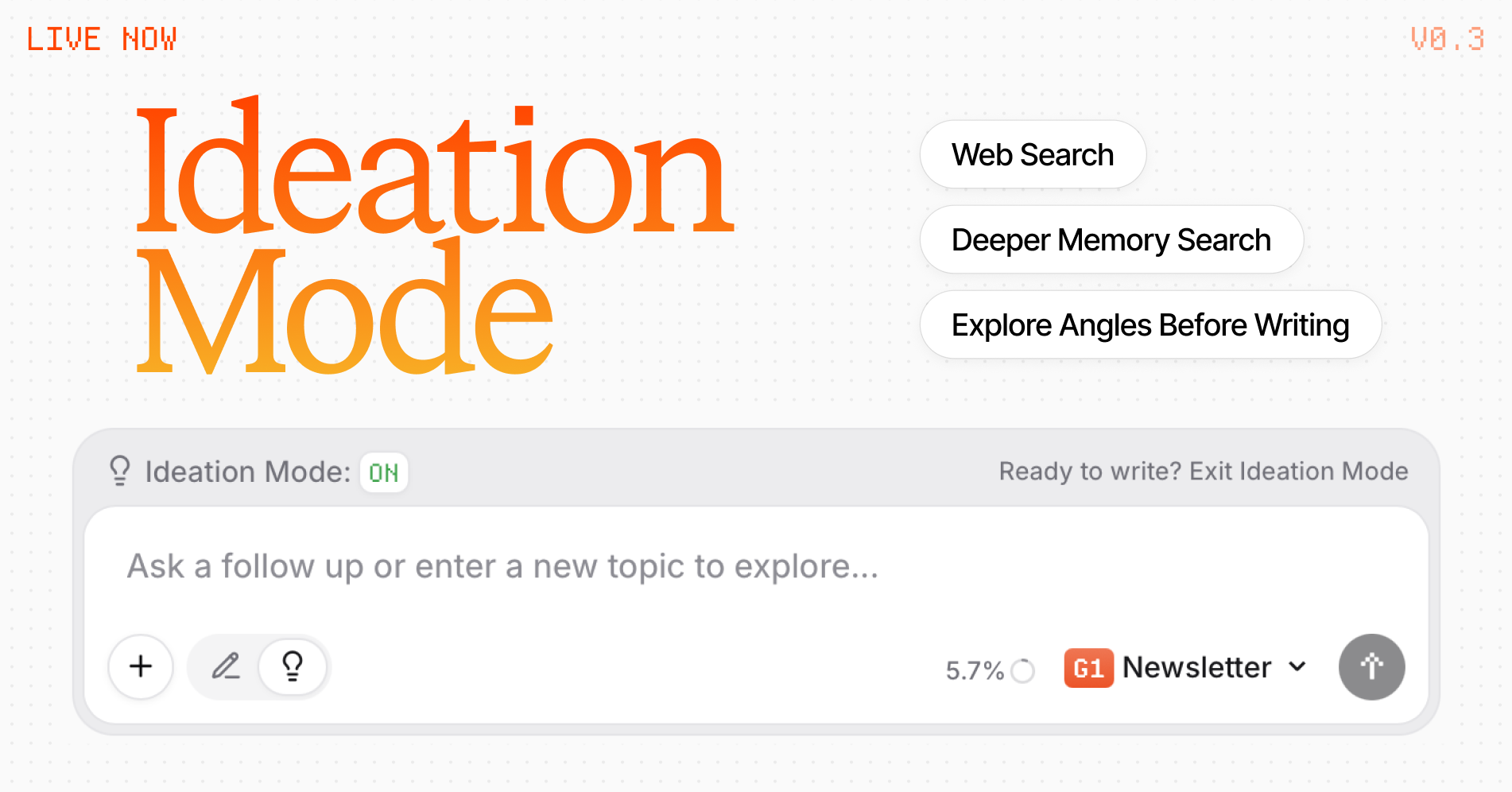
Think through ideas, explore different angles, gather context, and research together before writing.
What's new:
-
Deeper memory search — finds relevant past notes and conversations so you don't repeat work
-
Optional web search — fills gaps with up-to-date information when needed
-
Collaborative brainstorming — iterate back-and-forth in chat without committing to a draft
-
Seamless switch to Write Mode — when you're ready to draft, flip back to get a clean writing experience
How to use:
-
Press the 💡 bulb icon in the chat input to enable Ideation Mode
-
Ask open-ended prompts, compare options, or request research—it's tuned for exploration
-
Turn off web search if you prefer memory-only suggestions
Why this matters:
Ideation Mode helps you sketch better ideas faster — less context switching, fewer dead-ends, and smarter suggestions based on your past work and the web.
v0.2 — Tuning & Rebuilt Chat
v0.2 is live on ghostbase.com — two big improvements that make Ghostbase write more like your client and behave like a proper chat assistant.
TuningTuning (aka voice) lets you teach Ghostbase to write like your client by giving it writing samples and rules — so outputs sound like them, not a generic AI.
What it does:
-
Add sample writing from your client to create a custom voice
-
Apply rules and constraints (tone, format, preferred words) and iterate until it’s right
-
Fine-tune outputs quickly so you spend less time editing and more time shipping
Demo: https://youtu.be/cZSmoG-nrnA
Rebuilt ChatThe old chat was brittle, slow, and often lost context. We rebuilt it from the ground up so it actually follows instructions and keeps conversations together.
Improvements:
-
Much more reliable at following instructions and maintaining context
-
Significantly faster responses — feels like using Claude or ChatGPT
-
Fewer dropped threads and weird behavior (yes, it won’t “fall apart” anymore)
-
Plan Mode — a planning workspace to map out angles and build a writing plan before you generate copy
-
LinkedIn + X synced import — automatically pull LinkedIn and X posts into a client’s memory for better context
Keep sharing ideas and feedback and I’ll keep building — thanks for using Ghostbase!